
Clicking in the Client field returns a popup list of existing Clients. Selection of a Client auto-populates billing, contact, notes. etc into that Client’s Detail page
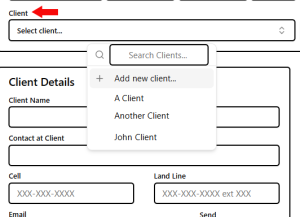
- Controlled Client entry ensures accuracy and consistency of data.
- Controlled Client entry avoids tedious keyboard entries.
- The Nav Menu offers a Client List similar to the Job List.
- Selection Client name returns that Client’s Details
- If this Job is for a new Client, click on Add New Client