
The creation of a New Job or the Edit of an existing Job starts with the 2-rows section across the top of the Job page. 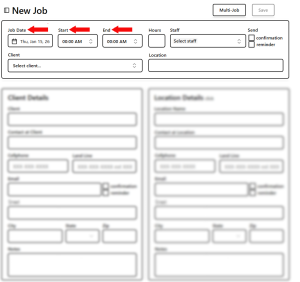
- Clicking in the Date field opens the popup Calendar.
- Start and End times return the Job’s hours and
- Calculate the Job’s number of hours to the closest 15 minutes.