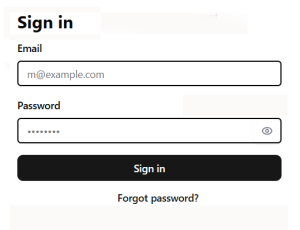
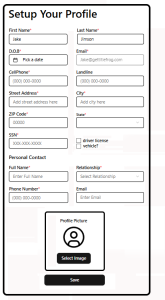
PERSONAL Staff Portal: In this portal, a Staff Member has access to REVIEW personal registration records and Job Assignments.. A Staff Member gets access credentials from Admin after Admin completes a Staff Detail form. As an option, Admin may provide a new Staff member with access to the “Setup Your Profile” form (below).
Staff Members may (option allowed by Admin) complete their own Profile. A popup offers the Staff Member an opportunity to review and/or make edits before the form is submitted.
A registered Staff Member’s 2fa log into Personal Staff Portal defaults to their Asssignments List, a chronologocal list of upcoming Jobs. Staff Member sees only their own agreed Assignments. A link in the header offers a list of all Assigned Jobs, past and future. The name and phone number of the Client’s contact person at the location are in the text messages described above. The names of the other Staff who have been assigned to this Job are visible to each other using the dropdown arrow next to their name. This allows Staff memebrs who have been assigned to this Job to comminicate with each other and coordinate as may be needed.
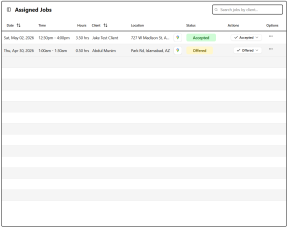
- Job date, start/end time
- location address
- link to map and directions
- contact name and phone
Selecting a row from the above list of Assigned Jobs wil display the details of that Job in a display designed for cellphone legibility. The displayed data include:
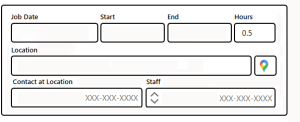
- Job date, start/end and hours
- location name, street, city, state
- link to map and directions
- contact at Location
- double arrows opens dropdown of all Staff assigned to this Job