ADMIN Staff Portal offers access to and editing of:
- Overview of all Job Assignments
- Staff Member details
- Job Schedule Notifications, Reminders and Confirmations.
- Staff Member’s compensatable hours
Open the ADMIN Staff Portal by selecting “Staff” at the bottom of the Navigation Sidebar
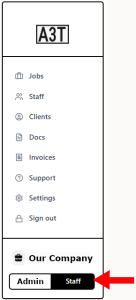
Clicking there will open the Admin Staff Portal. Note the the Sidebar Menu has now been replaced with a Staff Portal navigation menu. .
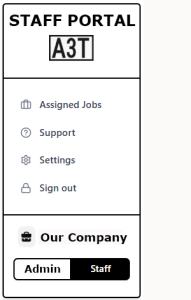
- Clicking on Assigned Jobs offers the Assigned Jobs page (below)
- a chronological of upcoming Assignments Jobs that have been assigned, togther with
- sumary of the Job, it’s date, etc and
- a expanable list of every Staff Meber Assigned to the Job.
- Setting let’s Admin edit Staff Assignment. and
- Send notices to affected Staff.It important to know that, even though a Staff Member logging into his own account will see a sidebar with the same menu, the links will NOT give him access to any of the information above and below in the second part of thIS ADMIN Staff Portal pageA Staff Member accessing his own personal account will see the simlar sidebar but all the functions are limited to his own personal page(s).
Here’s the second part of the ADMIN Staff Portal page.
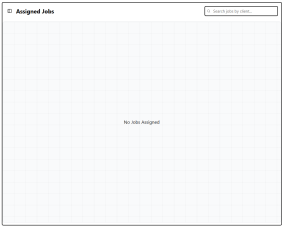
- ADMIN will see a Assignment List of ALL assignments that have been accepted.
- The Assignments List will be empty UNTIL
- at least one Staff Member has been assigned AND accepted a specific Job.
- The Staff Portal Assignments List is empty until then
- A Staff Member must have been assigned and accepted at least one Job.